Past and present instrument index
Key Highlights
- A good instrument index should be your master document that provides everyone who needs to know anything about all instruments on your project and on your site.
- The index should be stored in a database so everyone can sort and filter to easily get just the data they need.
Greg: The instrument index has a lot of key information to get a project on the right tract. In the early days, it was more of a challenge to incorporate and update essential details. We are fortunate to have Lucinda Weaver provide us with key extensive knowledge she has learned in the process industry. Lucinda has worked on capital projects for over 45 years. She started as a programmer doing batch control on the Fisher DC2. For the last 10 years of her career, she was a project technical lead supporting instruments, controls and everything else with a wire attached to it. Projects have been mostly pharmaceutical all over the US, Maritime Canada and some in Ireland. Retirement came at the end of 2025. Lucinda is a proud Oregon State Chemical Engineer.
Tell us the history of the instrument Index?
Lucinda: When I was a young engineer the instrument index was a document for construction. It was hand printed on a series of drawings with lines skipped between every few items to add instruments if ones needed to be added later. There was no sort.
Greg: When did that change?
Lucinda: When a man by the name of Bill Gates came up with something called DOS and worked with IBM to create the first affordable personal computer. Side note: the Apple personal computer came first, but it was not affordable by most people. We were also stuck in our myopia of the mainframe era that computer time was something you rented. Thus, when I walked into my first Apple Store my senior year in college, the emphasis was not on selling machines, but on selling time on the machines in the store for people to come in and use for their needs. Sadly, I already typed all my senior projects on my manual typewriter, a word processor program would have been helpful. The personal computer brought a revolution of products and programs that made things we did by hand easier because they were on a computer and easier to edit.
Greg: So how did the change come about?
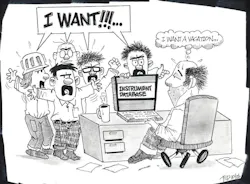
Lucinda: Once we were on spreadsheets, we could add columns to make the index more useful to more people. Over time we switched from spreadsheets to databases that made the sorting and filtering easier than on a spreadsheet. Suddenly, the fitter foreman came around and said, “Hey, Lucinda I know you have this in the computer, can you sort my copy with just the inline instruments, ordered alphanumerically by the ISA indicator.”
Not to be outdone, the electrical foreman showed up a couple days later and asked for one that only had items with wires attached and sorted by loop number. Then the dam burst and everyone wanted something different and something more. The instrument index became a lot of different indexes from the same database because the database became all things instrument to all people.
Greg: So, what columns did you end up with?
Lucinda: Forgive me if I miss some things, but I did not keep any manual copies when I retired, and any electronic copies I may or may not have on memory sticks around the house are for PC and we are a Mac family.
Get your subscription to Control's tri-weekly newsletter.
Greg: No revision number?
Lucinda: For the record, I do not put a revision number on the individual lines in the index. I leave those to the specification sheets. However, I do have a header on all my printed indexes with an automatically generated date on it and use that date as the reference to the newest copy.
Greg: Are there any special columns you used as well?
Lucinda: Here are some weird columns that we also used because other departments learned we had this index and wanted to add data to make their lives easier.
Greg: What other differences do you have with the instrument specifications and the instrument index?
Lucinda: The index has more entries. Think about an on/off valve assembly. The line for the assembly would be tagged something XV. That line would get a specification number, but not I/O types or addresses. Under that you would have entries for an XY (the solenoid in my world) and a ZSC and / or ZSO (limit switches). Those entries would get I/O types and addresses but would not have a specification number as they are specified with the assembly, the XV. Things like flow meters where the head is not attached to the flow tube would have a line for the FIT and FE. The FIT would get both the specification number and the I/O type and address. However, if you buy your TEs (RTDs or thermocouples) separately from the transmitters, both lines would get a specification number, but only the transmitter would get an I/O type and address.
Greg: Any final thoughts?
Lucinda: Depending on what is important to your company or site, you may wish to have more or different columns. Just remember, once you set your standard and have your master list set up, the project lists really need to match that to make adding project instruments to the master much easier.
Also, as you set this up, remember not to embed data. Don’t put your full tag number in a single column, you just lose your ability to sort and filter on anything but the first letter or number. Don’t try to embed a controller number with your I/O address in that controller. We have come a long way from those old handwritten indexes on a “D” sheet and everyone wants something out of this index in the way they want it. Make it easy for yourself, make sure there is no data you can’t sort or filter on.
Top 10 people who want their own version of the instrument index
10. Pipefitter foreman
9. Electrical foreman
8. Construction manager
7. Project manager
6. Validation/quality representative
5. Safety representative
4. Environmental representative
3. Calibrations department
2. Programmers
1. Plant maintenance
About the Author
 Greg McMillan
Greg McMillan
Columnist
Greg McMillan retired as a senior fellow at Solutia Inc., now a subsidiary of Eastman Chemical, in 2002. He was an adjunct professor in Washington University Saint Louis’ Chemical Engineering Department 2002-04, and retired as a principal senior software developer at Emerson Automation Solutions in 2024.
 Leaders Logo
Leaders relevant to this article: